Windows Logs
Windows Logs
Windows logs are the system logs, security logs or application logs the Windows operating system generates. They provide information about Windows and the applications running on it. Use the following query to access collected Windows logs:
"col_type"="LPAgentX" "agentx_agent_os"="windows"
Windows Generic Logs
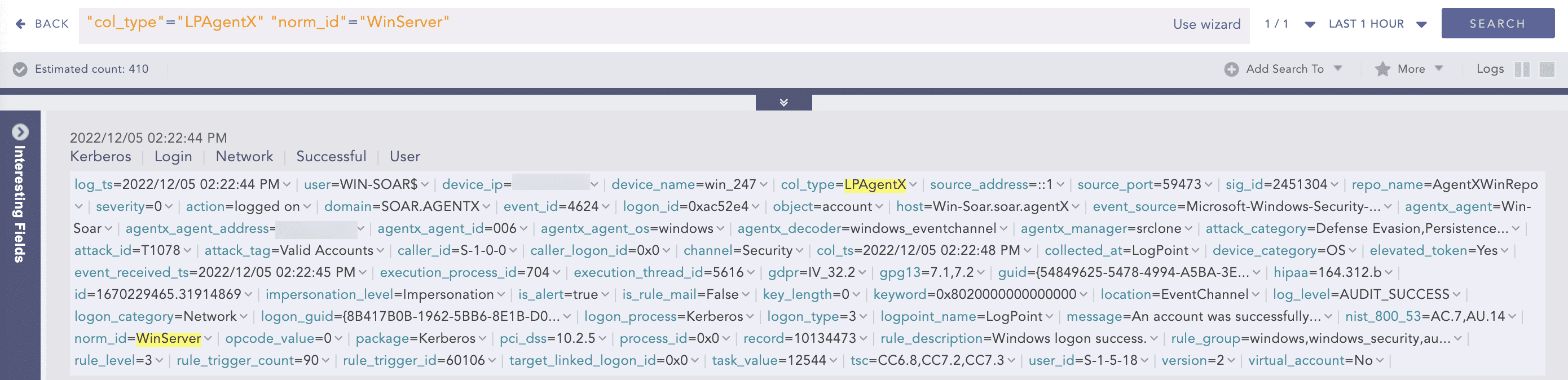
Windows generic logs in Logpoint refer to logs that are not specific to any particular application or operating system component but are collected from Windows servers. Examples of Windows generic logs include logs generated by third-party applications, web servers, DNS servers and other network services running on Windows servers. Use the following query to access collected Windows generic logs:
"col_type"="LPAgentX" "norm_id"="WinServer"
Windows Event Channel Logs
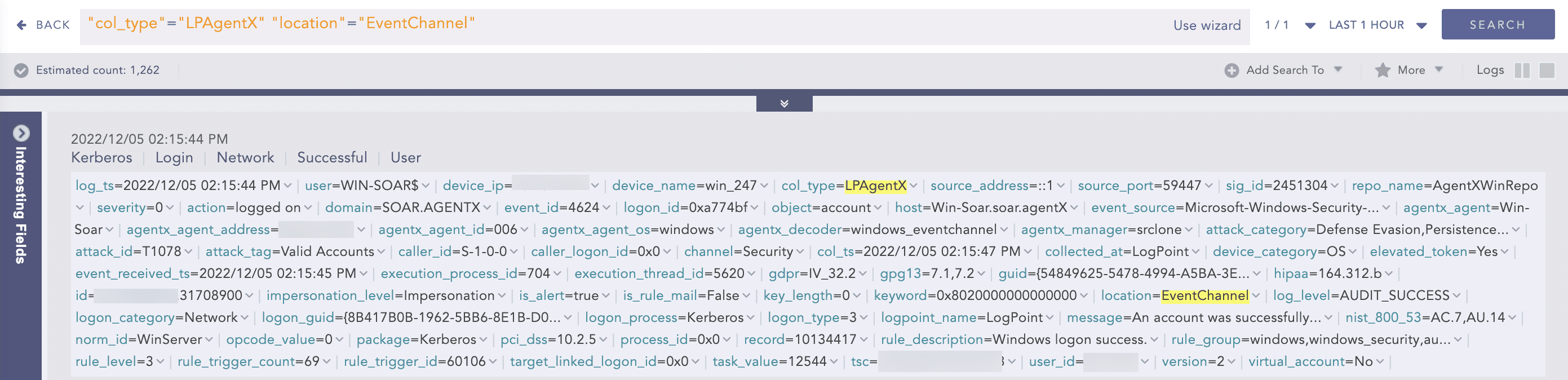
Windows Event Channel Logs are a type of log generated by the Windows operating system that provides information about specific events or activities occurring on a Windows system. Use the following query to access collected Windows Event channel logs:
"col_type"="LPAgentX" "location"="EventChannel"
Windows Sysmon Logs
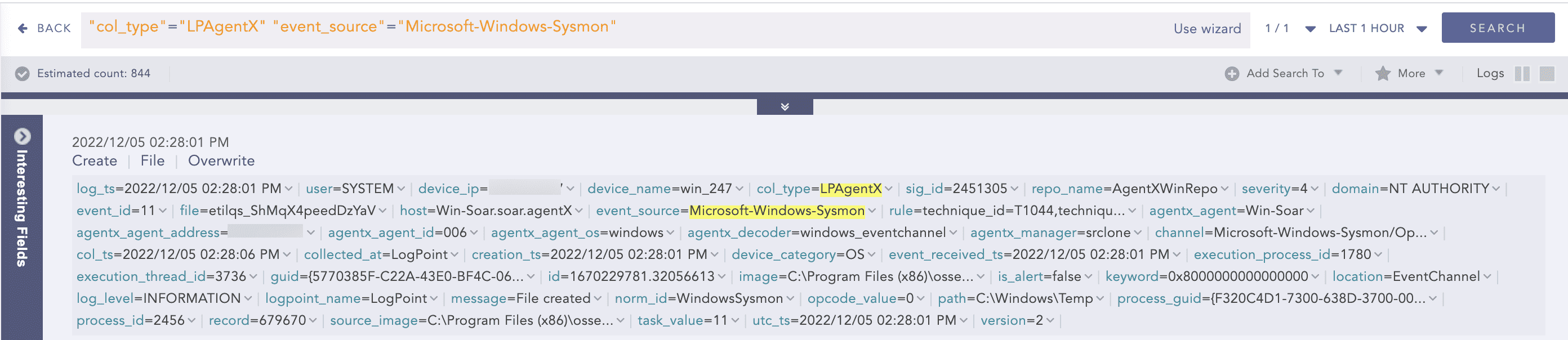
Windows Sysmon Logs are a type of log generated by the Sysmon (System Monitor) service that provides advanced monitoring and logging capabilities for Windows systems. Sysmon can be used to monitor a wide range of system activity, including process and thread creation, network connections and registry modifications.
Use the following query to access collected Windows Sysmon logs:
"col_type"="LPAgentX" "event_source"="Microsoft-Windows-Sysmon"
Windows Security Auditing Logs
Windows Security Auditing Logs are generated by the Windows operating system that provide information about security-related events and activities occurring on a Windows system. These logs are critical for security monitoring and compliance reporting in Windows-based environments. Use the following query to access collected Windows Security Auditing logs:
"col_type"="LPAgentX" "event_source"="Microsoft-Windows-Security-Auditing"
Windows Security Configuration Assessment Logs
Windows Security Configuration Assessment Logs are generated by security tools or solutions used to perform secure configuration assessments of Windows-based systems. These logs provide information about security vulnerabilities or misconfigurations on the Windows systems being assessed. Use the following query to access collected Windows Security Configuration Assessment logs:
"col_type"="LPAgentX" "agentx_agent_os"="windows" "event_source"="Security-Configuration-Assessment"
Windows OSQuery Logs
OSQuery logs provide a record of the queries executed by OSQuery, as well as any errors or other information that may be useful for troubleshooting or analysis.Use the following query to access collected Windows OSQuery logs:
"col_type"="LPAgentX" "agentx_agent_os"="windows" "event_source"="OSQuery"
Windows Active Response Logs
Windows Active Response Logs are generated by the Windows operating system that contain information about system events, errors, warnings, and other important activities that occur on a computer. These logs can be used for troubleshooting, performance monitoring and security analysis. Use the following query to access collected Windows Active Response logs:
"col_type"="LPAgentX" "agentx_agent_os"="windows" "event_source"="Active-Response"
Windows File Integrity Management Logs
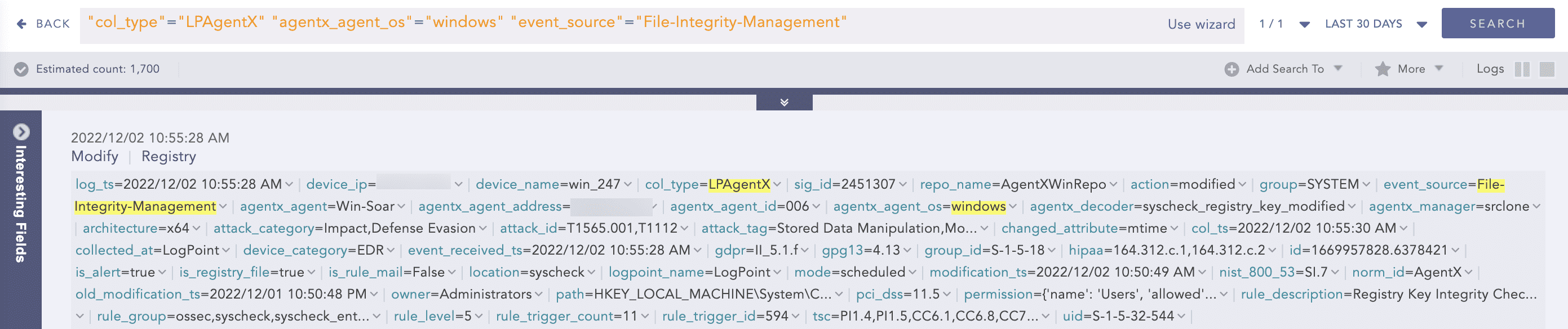
Windows File Integrity Management (FIM) Logs are generated by Windows operating systems that record changes to files and directories on a system. FIM logs are used to monitor and detect unauthorized changes to critical system files and configurations. Use the following query to access collected Windows File Integrity Management logs:
"col_type"="LPAgentX" "agentx_agent_os"="windows" "event_source"="File-Integrity-Management"
Windows DNS Server Logs
Windows DNS Server Logs are generated by the Domain Name System (DNS) server role in Windows Server operating systems. These logs contain information about the DNS server’s activity, including queries, responses and other events related to DNS resolution. Use the following query to access collected Windows DNS Server logs:
"col_type"="LPAgentX" "norm_id"="WindowsDNS"
Windows IIS Logs
Windows IIS logs are generated by the Internet Information Services (IIS) web server that record details about HTTP requests and responses processed by the server. IIS is used to host web applications, websites and services.
Windows DHCP Logs
DHCP (Dynamic Host Configuration Protocol) log refers to the log entries generated by a DHCP server that records the activity and status of the DHCP server and its clients. A DHCP server is responsible for assigning IP addresses and other network configuration parameters to client devices on a network.
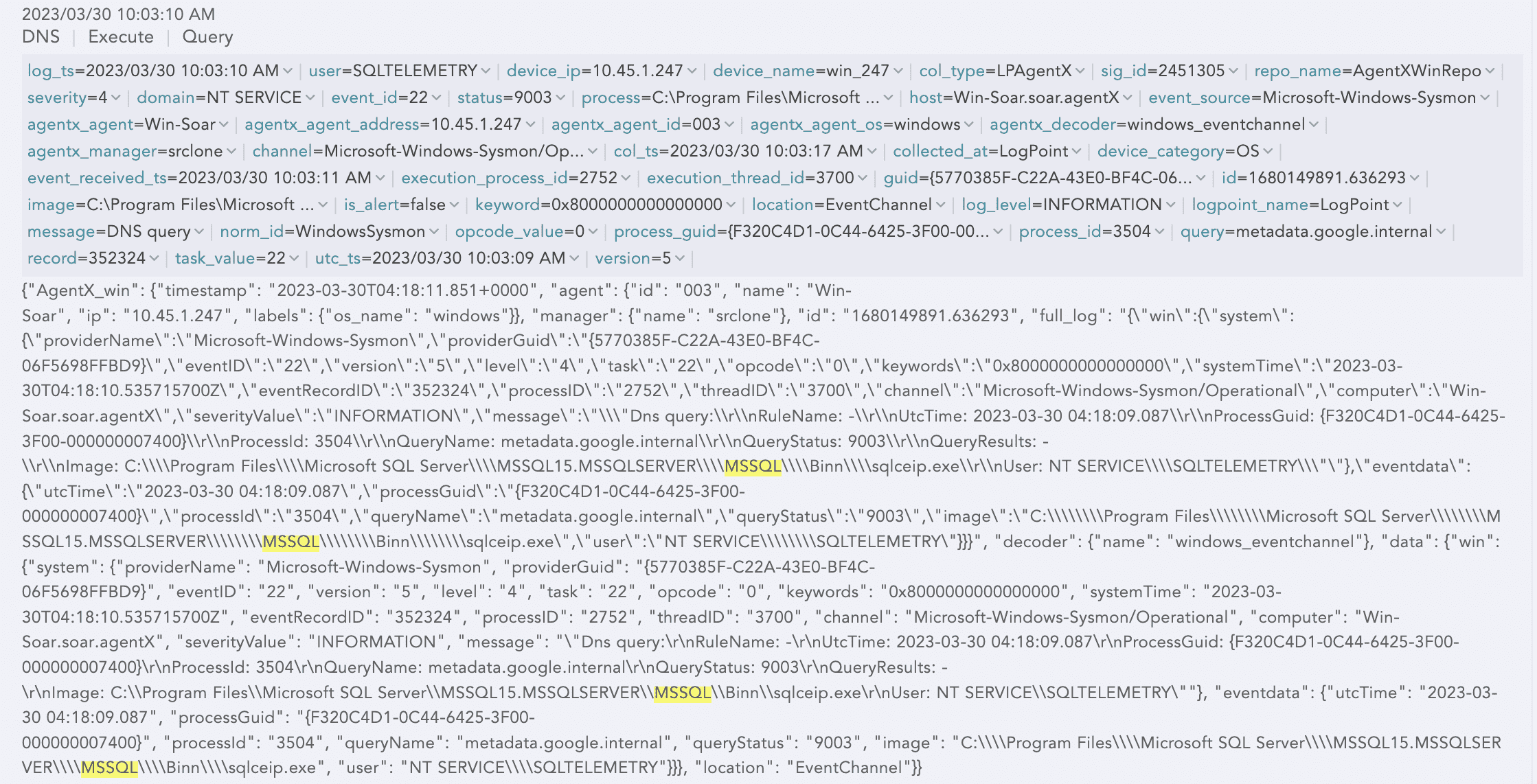
Windows MSSQL Logs
MSSQL logs are different types of logs in Microsoft SQL Server.
Linux Logs
Unix Generic Logs
Unix Generic Logs are generated by Unix-based operating systems. These logs contain information about the activities and events that occur on a Unix system, such as system startup and shutdown, user logins and logouts, system processes, and system errors. Use the following query to access collected Unix Generic logs:
"col_type"="LPAgentX" "agentx_agent_os"="linux" "norm_id"="Unix"
Unix Security Configuration Assessment Logs
Unix Security Configuration Assessment Logs contains information about the results of security assessments of Unix-based operating systems. These assessments are typically conducted to identify vulnerabilities and misconfigurations potentially exploited by attackers and to ensure systems are configured in compliance with industry best practices and regulatory requirements. Use the following query to access collected Unix Security Configuration Assessment logs:
"col_type"="LPAgentX" "agentx_agent_os"="linux" "event_source"="Security-Configuration-Assessment"
Unix OSQuery Logs
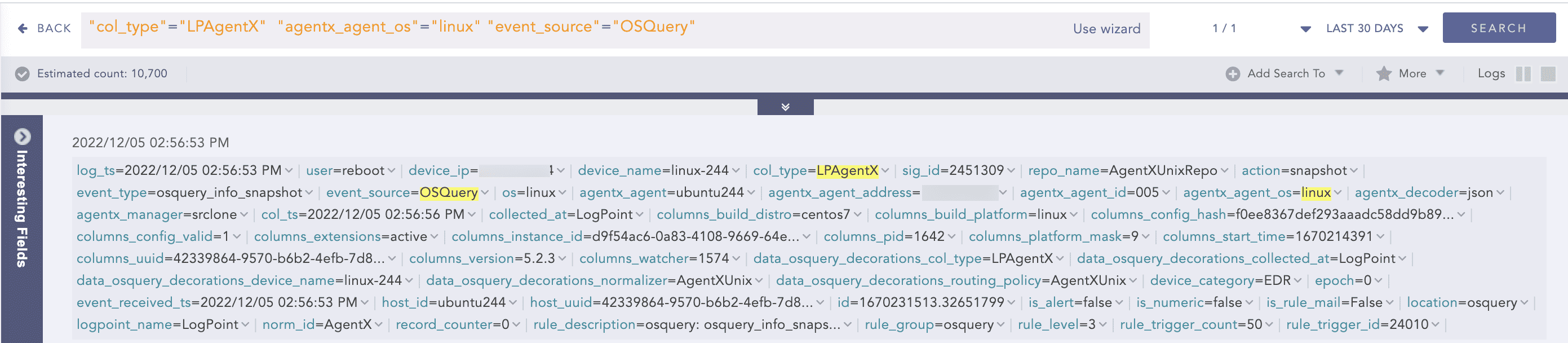
Unix OSQuery Logs are generated by the OSQuery framework, which allows system administrators to collect and analyze a wide range of system-level data, including information about running processes, network connections, installed software packages and user accounts. Use the following query to access collected Unix OSQuery logs:
"col_type"="LPAgentX" "agentx_agent_os"="linux" "event_source"="OSQuery"
Unix Active Response Logs
Unix Active Response Logs are generated by Unix-based operating systems in response to security events or incidents. Active Response Logs contain information about the actions taken by the system or security tools in response to a security event, such as a detected intrusion, malware infection or other security incident. Use the following query to access collected Unix Active Response logs:
"col_type"="LPAgentX" "agentx_agent_os"="linux" "event_source"="Active-Response"
Unix File Integrity Management Logs
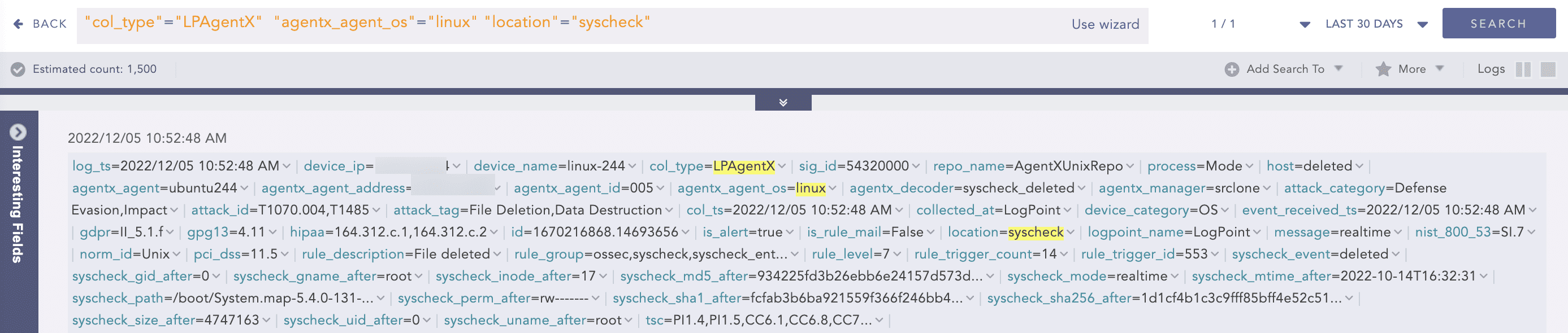
Unix File Integrity Management Logs are generated by Unix-based operating systems that contain information about changes made to files and directories on the system. These logs are typically generated by file integrity monitoring (FIM) technology, which are designed to detect and alert on unauthorized modifications to files and directories. Use the following query to access collected Unix File Integrity Management logs:
"col_type"="LPAgentX" "agentx_agent_os"="linux" "location"="syscheck"
Unix Audit Logs
Unix audit log refers to the log files generated by the audit subsystem in a Unix-based operating system, such as Linux or FreeBSD. The audit subsystem is a component of the operating system that provides a way to monitor and record system events for security and compliance purposes.
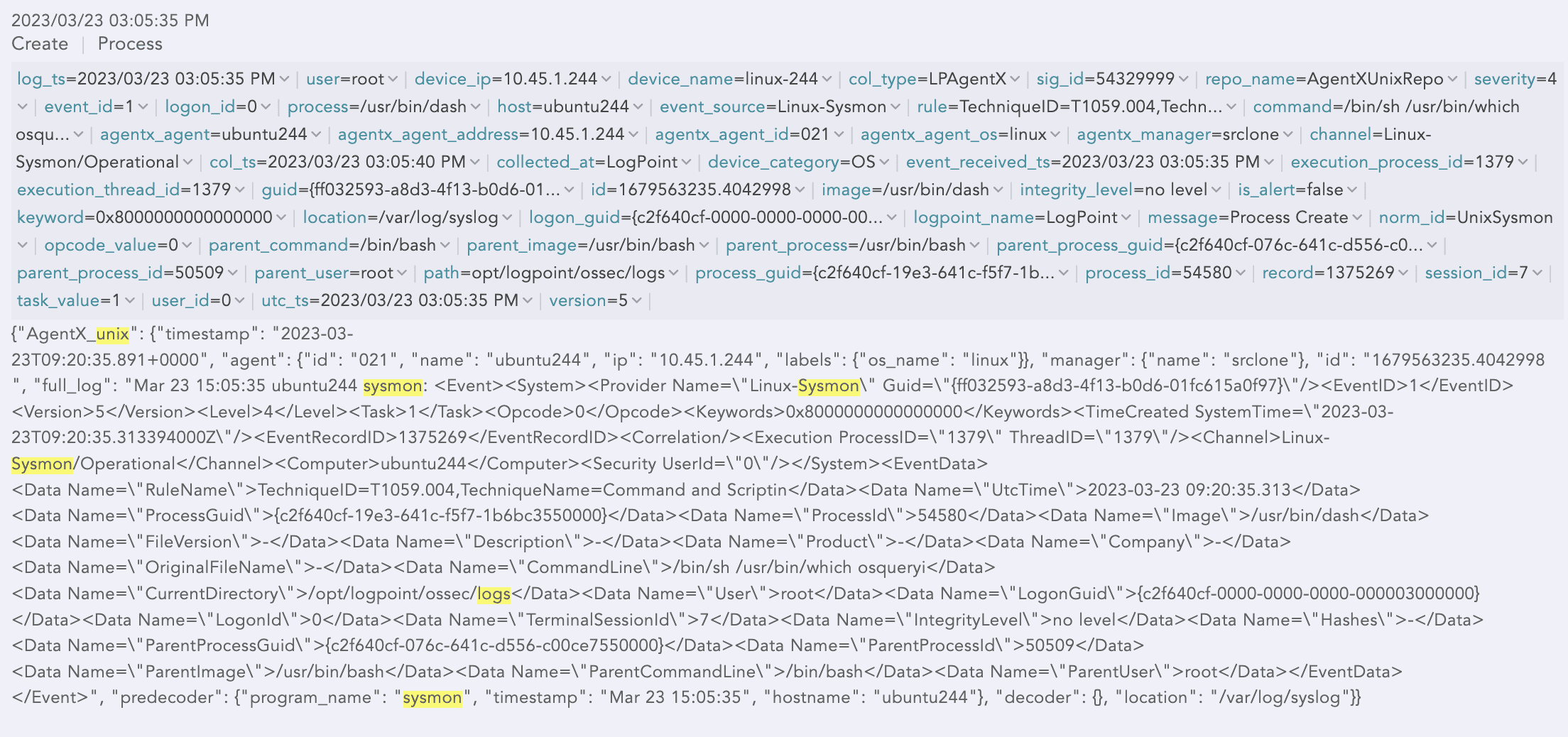
Unix Sysmon Logs
Unix Sysmon (System Monitor) monitors and collects system-level information and metrics on a Unix-based operating system. Sysmon provides detailed insights into system performance, resource usage, and other system-level information that can be used for troubleshooting, optimization and capacity planning.
Unix NginX Logs
Unix NginX logs contain log information about the tasks performed by the NGINX server, like error logs where NGINX is unable to start or abruptly stopped running, access logs that detail which files users accessed, how NGINX responded to a request, and what browser a client is using along with the user’s IP address. NginX is used for load balancing, caching or backend routing.